Your Pool Robot Works Underwater, but Its Phone App Usually Does Not
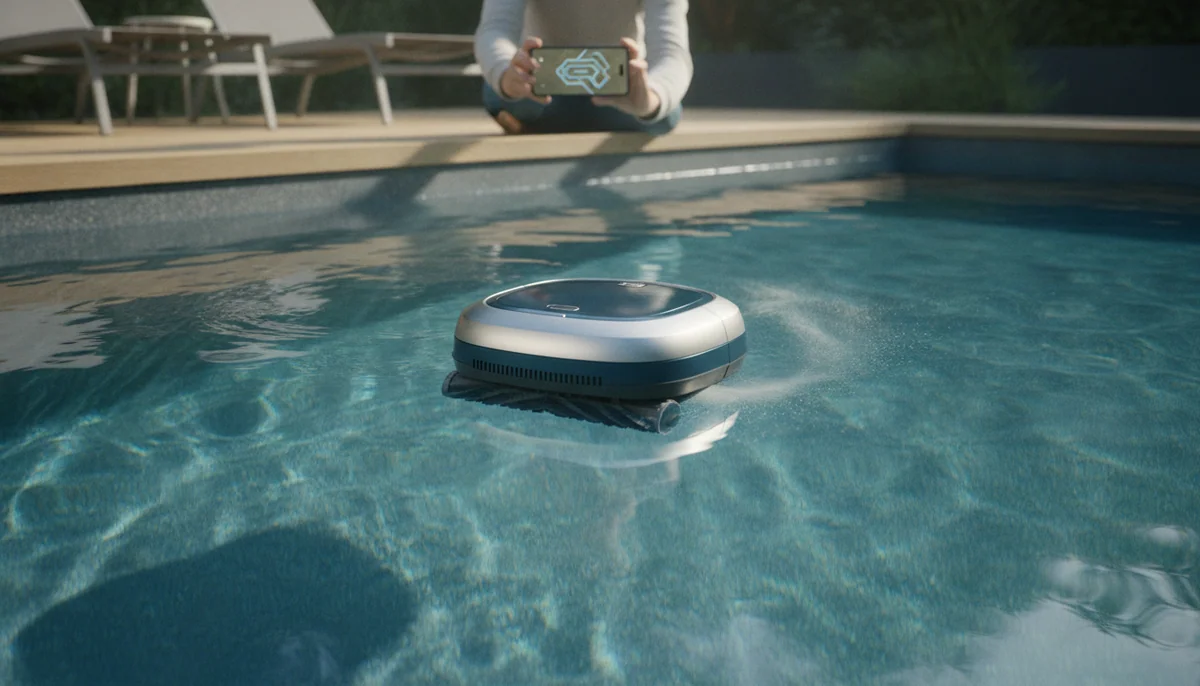
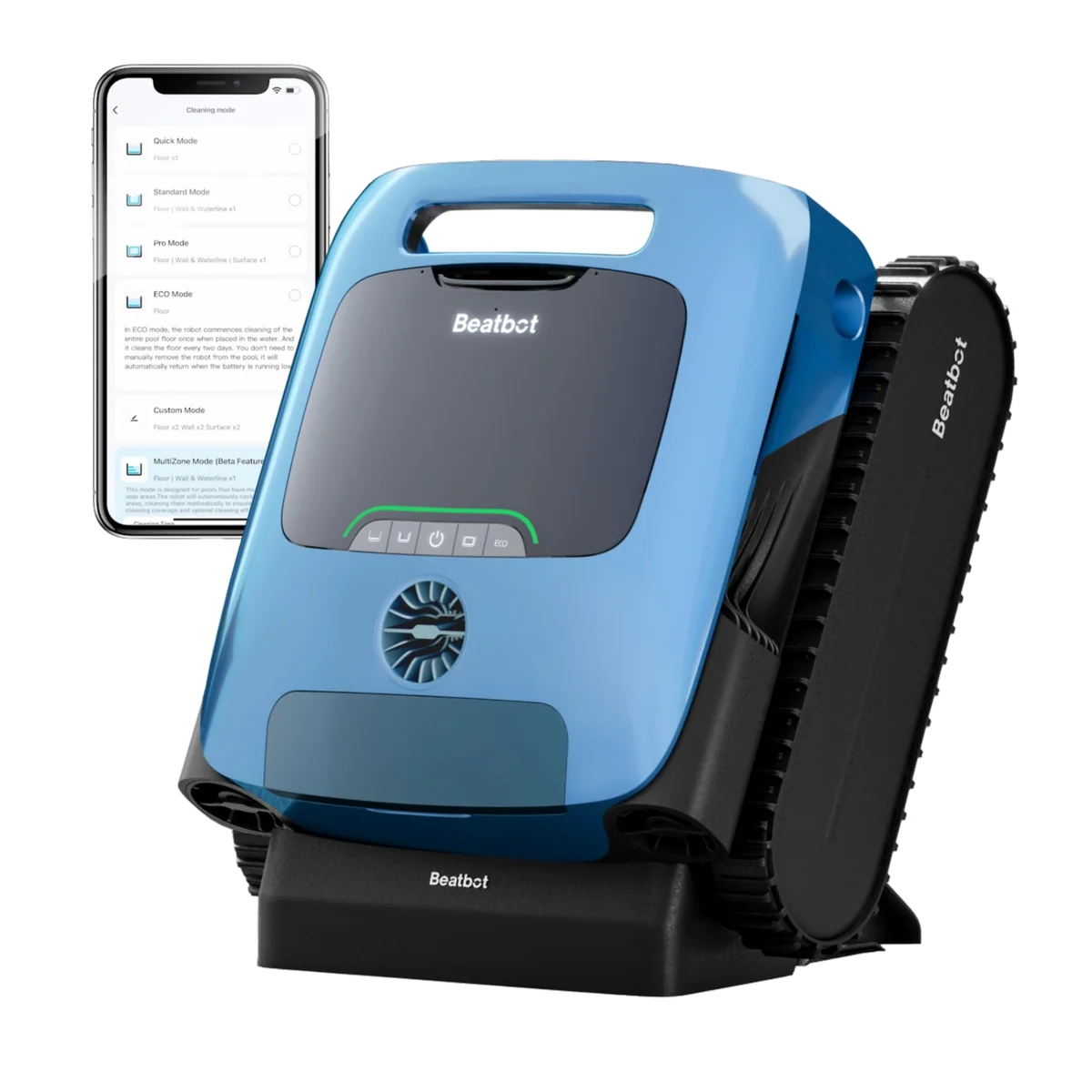
“App control” sounds like the experience of driving an indoor robot vacuum from the sofa: watch its position, change its assignment, stop it, and send it somewhere else. That is not the experience most submerged pool cleaners deliver. Their apps are chiefly for pairing, selecting modes, entering pool details, saving schedules, checking the battery before launch, updating firmware, and reviewing information after the cleaner reconnects.
The distinction is stated unusually clearly for the iGarden KN Series, whose listing says the app does not connect underwater, and for the Beatbot AquaSense 2 Pro, whose detailed listing limits directional app control to surface cleaning. Those disclosures describe the practical boundary more honestly than a large “APP Control” phrase in a product title.
The useful translation: the robot works underwater, its saved program works underwater, and the ordinary phone connection usually does not.
An app has three very different moments
-
Before the cleaner enters the pool
This is when the app is most dependable. Pair the robot, install firmware, choose floor or full-pool cleaning, select a route, enter the pool shape, set a delayed cycle, and confirm that the battery is ready. If the cleaner has useful physical controls, the common modes should also be available without a phone.
-
While the cleaner is submerged
The phone commonly reports a lost connection, but the cleaner continues using instructions already stored onboard. Do not expect a dependable live battery reading, moving map, stop button, mode change, recall command, or steering control unless the exact model documents and demonstrates a different communication architecture.
-
When the cleaner returns to the surface
Communication can return. The app may then deliver a completion notice, upload cleaning history, display a completed route, or enable surface steering. That reconnection does not prove the phone monitored the robot throughout its time on the floor.
Beatbot owners describe that sequence directly. AquaSense 2 Pro users report that the phone connects when the robot is not cleaning but loses contact underwater, while a Sora 70 owner describes the app notifying only after the cleaner resurfaces.
A disconnected robot can still be smart
Phone connectivity and cleaning intelligence are separate systems. Tracks, pumps, gyroscopes, obstacle sensors, cameras, processors, and route algorithms live on the cleaner. Once a program is loaded, the robot does not need a live phone link to drive an S-pattern, climb a wall, inspect the floor, or decide that its battery is low.
That matters most with camera-equipped cleaners. The Aiper Scuba V3 can analyze visual information on the machine, and its listing says that visual data is processed locally rather than uploaded. Owners nevertheless report that they cannot view remaining time, stop the cleaner, or direct it while it is underwater. The camera may guide the robot, but it does not become a live underwater video feed for the phone.
The WYBOT C2 Vision makes the same distinction visible. Its app holds advanced route, pool-profile, and camera-dependent settings, yet an owner describes selecting the job, placing the robot in the water, seeing the phone disconnect, and waiting about a minute for autonomous cleaning to begin. The onboard camera can still hunt for contrasting debris after the wireless link has gone quiet.
The drawback appears when the robot needs help
Losing the connection is easy to dismiss when a cycle goes well. It becomes consequential when the robot repeats one strip, hangs on a drain, wedges behind a ladder, struggles with a step, or stalls on a shallow shelf. The app normally cannot free it, redirect it, or explain whether it is stuck, recalibrating, conserving charge, or moving between route phases.
An iGarden KN owner saw the phone lose contact after submersion, while other retained reports describe units needing physical help around fixtures and ladders. WYBOT B1 owners similarly describe a cleaner lingering around a corner or steps without useful live intervention.
The Beatbot A100 Pro platform adds a sharper warning about treating an app as a rescue channel. In a test of the closely related AquaSense Pro, the robot remained on the bottom of a murky pool for ten days and could not be summoned; it still had substantial charge when recovered, and later cycles parked normally. The lesson is not that surface parking always fails, but that an app recall button should not be your only retrieval plan.
Keep the supplied hook nearby, watch a new cleaner around drains and compound steps, and value an understandable physical control panel. A strong body interface remains useful when pairing fails, the app store changes, the household Wi‑Fi is unavailable, or nobody wants to create another account merely to clean a pool.
A saved schedule is not a self-running pool service
A schedule can be transferred to a cordless cleaner before it dives and executed later without a live connection. That is legitimate automation. It does not put the robot into the pool, empty its filter, dry its charging contacts, lift it out, or restore the battery after the stored charge is spent.
The iGarden K70 is explicit that its app connection works only on land, while its repeat intervals divide the available charge among future sessions. The Aiper Scuba S1 2026 likewise offers a weekly plan, but owners still report that Wi-Fi and Bluetooth contact ends shortly after submersion.
Beatbot Sora 70 ECO mode shows what this can mean in practice: short floor sweeps can run on later days from one charge while the cleaner remains in the pool. That may maintain an already tidy pool during a brief absence, but the robot still ends with one finite basket and needs to be retrieved with the hook. A storm or heavy leaf fall can fill the basket before the calendar runs out.
Read every “weekly,” “multi-day,” or “up to 16 days” claim as a battery-allocation plan unless the product has a separate dock that demonstrably handles retrieval and charging. Scheduling is useful, but it does not turn a manually handled cordless cleaner into a permanent appliance.
What the app labels mean on the models here
| Cleaner or family | Best-supported app use | Underwater expectation | Honest drawback |
|---|---|---|---|
| Beatbot AquaSense 2 Pro and Sora 70 | Setup, firmware, modes, history, surface steering, and notices after resurfacing | Autonomous floor, wall, and waterline cleaning without dependable live phone control | Surface control is real, but it cannot redirect a robot that is still on the bottom. |
| Beatbot AquaSense 2 Ultra | Richer setup, post-run maps, logs, firmware, and useful manual steering during surface work | Onboard mapping and cleaning continue after the normal live link disappears | The map is reviewed after the run, and the renewed listing adds condition uncertainty. |
| Aiper Scuba S1 versions | Mode selection, reachable battery status, logs, firmware, and supported weekly plans | Basic modes continue from physical controls and stored settings | The S1 name spans app-free and app-enabled generations, so generic reviews can describe the wrong machine. |
| Aiper Scuba V3 | Camera-mode setup, navigation preferences, firmware, statistics, and scheduling | Local camera analysis continues without a live feed or steering link | Owners cannot reliably stop the robot or check remaining time while it is submerged. |
| Aiper Scuba, green listing | Pre-launch pattern selection and charging status | Physical buttons cover basic floor, wall, and waterline modes | The exact listing does not clearly identify the model generation, and owners call the app rudimentary. |
| iGarden K36, K70, and KN Series | Modes, duration, repeat intervals, battery checks before launch, and updates | Touchscreen or body controls carry the ordinary cleaning functions | These are among the clearest dry-land app examples, so the app is convenience rather than a reason to buy. |
| WYBOT B1 | Pre-run mode, pool material and shape, battery status, and firmware | The selected program runs onboard after immersion | The sparse, poorly labelled physical interface makes the disappearing app more frustrating than it should be. |
| WYBOT C1 and C2 Vision | Routes, pool profiles, schedules, updates, and advanced vision settings on the C2 Vision | Stored routes and local camera functions continue without phone steering | Setup can require network patience, while schedules still share one charge and one basket. |
| TALOSBO C1 | Firmware, pool dimensions, route choice, modes, and delayed cycles | The physical cleaner continues its selected route after Bluetooth drops | Owner reports conflict on which controls the app exposes, and preset paths are not a persistent pool map. |
| BUBLUE F10 surface skimmer | Mode changes, battery checks, alerts, side recall, and updates while floating | Its normal job occurs at the surface, where communication can remain useful | Connection reliability is mixed, and it does not clean the floor, walls, or submerged steps. |
| BUBLUE Bubot 800P Gen2 | Claimed scheduling, status, joystick steering, and return-to-waterline control through a corded system | A dry external controller creates a materially different architecture from a sealed cordless robot | Exact owner evidence includes complete pairing failure, so live app functions should not be the sole buying reason. |
The individual records support these distinctions: Beatbot Ultra offers the strongest completed mapping and surface-control proposition here; the green Aiper listing remains ambiguously named; iGarden K36 keeps core controls on its touchscreen; TALOSBO acknowledges no underwater connection; and BUBLUE’s corded 800P advertises in-cycle controls but has a mixed pairing record.
The WYBOT and BUBLUE listing language also shows why architecture and exact functions matter more than a generic app badge. WYBOT B1 advertises app control while its owner record points to dry-land usefulness, whereas the floating F10 can remain reachable during its surface job even though owners disagree about Bluetooth and Wi-Fi reliability.
Buy the cleaner, not the phone screen
Choose first for pool compatibility, floor and wall coverage, filtration, runtime, retrieval burden, physical controls, service, and the obstacles in your pool. An elegant app cannot make short runtime finish a large basin, free a robot from a ladder pad, or persuade tracks to grip a difficult transition.
Pay more for an app when
- post-run maps would help diagnose coverage;
- you will actually use surface skimming and steering;
- advanced route or camera settings solve a known pool-shape problem;
- firmware support has a credible record of improving behavior;
- saved maintenance cycles fit your handling routine.
Do not pay more for an app when
- you expect to drive the robot around the floor from a chair;
- you need live video, battery telemetry, or an accurate moving map;
- you expect scheduling to include charging and basket cleaning;
- the body controls are confusing or omit the modes you use most;
- the listing never says whether “remote control” means on deck, at the surface, or underwater.
Beatbot’s richer systems make sense when their surface steering and completed maps have a real job in your pool, but they still carry the submerged-control limitation. The Aiper Scuba V3 and WYBOT C2 Vision make sense when you want onboard visual navigation, not a live underwater camera. The iGarden models are easier to judge because their dry-land boundary is comparatively candid, though their apps add less.
The BUBLUE F10 is the clean exception for leaves and floating debris because it stays on the surface, but it is a surface skimmer rather than a substitute for a floor vacuum. The Bubot 800P Gen2 is the architectural qualification, yet mixed pairing evidence makes its dry control box more reassuring than its app promise.
If app features are secondary and the real decision is cable versus battery, the corded and cordless guide explains the ownership tradeoff. Readers still choosing a battery-powered machine can compare models in the cordless cleaner roundup, while the surface-skimmer guide covers robots whose antennas remain near open air.
Smart Pool Bots would not reject a good cleaner merely because its app disconnects underwater, but we would reject the idea that an unexplained “APP Control” badge is evidence of live submerged control.
Frequently Asked Questions
Why does the cleaner keep moving after my phone disconnects?
The robot is executing a mode and route stored onboard, so continued movement shows local autonomy rather than an active phone connection.
Can I switch from floor cleaning to wall cleaning during a submerged cycle?
Most cordless examples here require the new mode to be selected before launch or after the cleaner is retrieved or resurfaced.
Does a saved weekly plan make a cordless cleaner autonomous?
No, because the schedule can trigger stored routines but cannot recharge the battery, rinse the filter, dry the contacts, or lift the robot from the pool.
Can I watch an AI cleaner’s camera from my phone?
The camera-equipped models covered here process underwater images onboard, and the supplied evidence does not support a dependable live phone feed.
Will a stronger router fix the underwater connection?
A stronger signal may help pairing on deck, but this record does not support it as a dependable solution after an ordinary cordless cleaner submerges.
Which app functions are genuinely worth having?
Firmware updates, clear pre-run configuration, useful completed maps, reliable logs, and demonstrated surface steering can add value without pretending to be underwater remote control.